The filename is a promise
A download named export.webp tells the next person what kind of file they have. If the bytes contain a PNG, that name creates an avoidable mismatch. A browser may still display the image, while an upload form, build pipeline, or another application can reject it or interpret it differently.
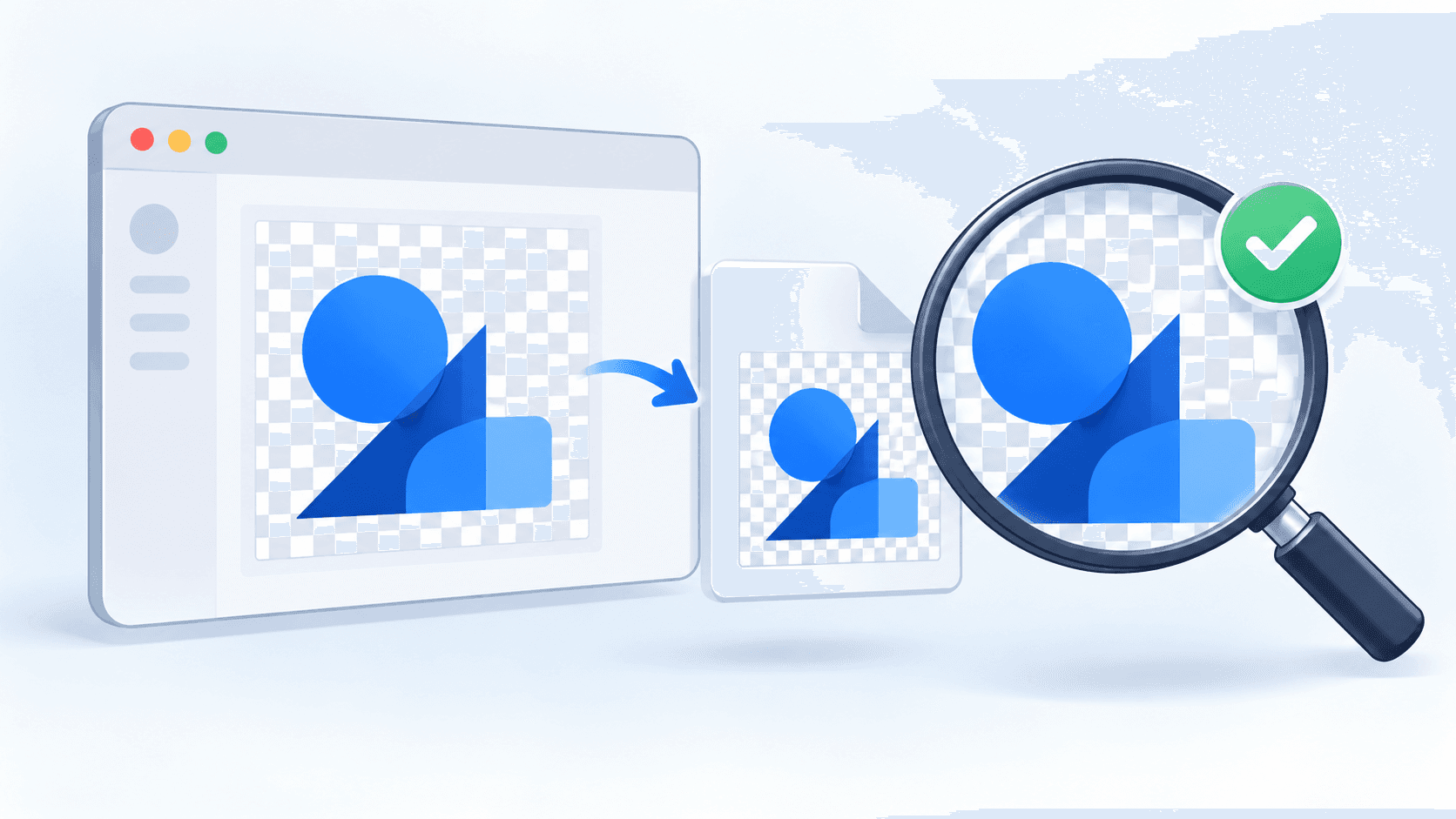
This tutorial builds a standalone example around that boundary. It starts with a synthetic canvas drawing, requests an export, inspects the result, and only then offers a download. It is a demonstration prepared for this article, not a report of a production incident or a performance benchmark.
The important distinction is between an export request and an export result. The browser's toBlob() method can fall back to PNG when the requested format is unsupported. It can also return a null result. Those behaviors mean that choosing a type in a dropdown is not enough to establish what the encoder produced. MDN documents the callback and format fallback.
The example deliberately includes an invented MIME type in the dropdown. That gives us a way to exercise fallback without assuming that a particular real format is unsupported in every browser. It should produce a clearly labeled result, not a fake filename or a mysterious broken download.
Define a small export contract
The contract has four parts: the snapshot dimensions must survive encoding, the returned MIME type must agree with a recognized file signature, the filename must follow the observed format, and the user must see when the requested format changed.
This example accepts three output families: PNG, JPEG, and WebP. Restricting that set makes the inspection code small enough to audit. An application that adds another encoder needs to add its signature recognition and filename mapping together. Silently treating an unknown result as a known format would undo the point of the check.
A signature check is not a complete image validator. The code also asks the browser to decode the blob and checks its dimensions. Even that does not prove visual equivalence, correct color management, or suitability for a particular upload service. These checks answer a narrower question: did this export produce a decodable image of the expected dimensions with a consistent format label?
The title uses “saved” in the everyday download sense. The exporter verifies the blob offered to the browser. It cannot prove that a person completed a save dialog or that their operating system retained a file. The accompanying automated check separately downloads a file and inspects its saved bytes.
Freeze the input and choose the background
The adapter copies the source into a new canvas before starting asynchronous work. That snapshot keeps the operation tied to the dimensions and pixels selected at the beginning. Later edits to the original canvas do not become part of the pending export.
Transparency needs a deliberate policy. For a JPEG request, this example paints white before drawing the source. The choice is visible in the page description and reproducible in a decoded corner-pixel check. A different application could offer a background picker or reject JPEG when transparency must be preserved.
For PNG and WebP requests, the snapshot begins transparent. The synthetic fixture leaves its top-left corner untouched, giving the test an unambiguous alpha sample. This is preferable to deciding whether a transparent logo survived by looking at it against an already-white page.
There is a subtle fallback consequence: preparation follows the requested format, while reporting follows the actual format. If a requested format caused the pixels to be flattened, a later fallback would not reconstruct their original alpha. Keep pixel preparation and format fallback visible as separate decisions in a more general exporter.
Make failure a normal result of the operation
The adapter wraps the callback API in a promise. A missing blob rejects that promise. Synchronous exceptions thrown during encoding also reject it through the promise executor. The interface then catches the failure and shows a readable message instead of leaving the download link active.
The early dimension check rejects an empty canvas. After encoding, an empty blob is rejected too. Next come signature recognition, agreement with blob.type, decoding, and dimension verification. This order puts inexpensive checks before decoding and keeps every successful result in the same shape.
A canvas containing cross-origin content without the necessary permissions can fail at export time. This demo avoids remote images entirely. Its test harness injects a thrown SecurityError to exercise exception propagation; that is not a real cross-origin integration test. An application that imports remote images should test that workflow with its own origins and headers.
The returned structure includes the blob, actual type, dimensions, filename, requested type, and fallback flag. That makes the interface a consumer of checked facts. It does not independently guess an extension or repeat the encoder's decision logic.
Run the complete example
Save the following as demo.html and open it in a browser. It needs no account, dependencies, uploaded files, or application server. The included drawing supplies a colored shape, small text, and a transparent region. Preparing an export changes only this demonstration's state.
Try PNG first, then JPEG, then the unsupported format. Inspect the status message and downloaded extension. For JPEG, open the result against a contrasting background to see the explicit white fill. For the fallback request, expect the interface to report the requested and observed types rather than quietly treating them as identical.
<!doctype html>
<html lang="en">
<meta charset="utf-8">
<title>Verified canvas export</title>
<style>body{font:18px system-ui;max-width:850px;margin:40px auto;padding:20px}canvas{max-width:100%;border:1px solid #999;background:repeating-conic-gradient(#eee 0% 25%,white 0% 50%) 0/20px 20px}button,select{font:inherit;margin:8px;padding:8px}pre{white-space:pre-wrap}</style>
<h1>Verify before download</h1>
<p>Original synthetic fixture: text and a transparent corner. JPEG uses an explicit white background.</p>
<canvas id="source" width="640" height="360"></canvas>
<p><label>Format <select id="format"><option>image/png</option><option>image/jpeg</option><option>image/webp</option><option>image/x-unsupported-demo</option></select></label><button id="prepare">Prepare export</button><button id="clear">Clear</button></p>
<p><a id="download" hidden>Download verified image</a></p>
<pre id="status" role="status" aria-live="polite">Choose a format, then prepare.</pre>
<script>
const extensions = {"image/png": "png", "image/jpeg": "jpg", "image/webp": "webp"};

function encode(canvas, type, quality) {
  return new Promise((resolve, reject) => {
    canvas.toBlob(blob => blob ? resolve(blob) : reject(new Error("Encoder returned no image")), type, quality);
  });
}

async function inspect(blob) {
  const bytes = new Uint8Array(await blob.slice(0, 12).arrayBuffer());
  const matches = (offset, values) => values.every((v, i) => bytes[offset + i] === v);
  let type;
  if (matches(0, [137,80,78,71,13,10,26,10])) type = "image/png";
  else if (matches(0, [255,216,255])) type = "image/jpeg";
  else if (matches(0, [82,73,70,70]) && matches(8, [87,69,66,80])) type = "image/webp";
  else throw new Error("Unrecognized output signature");
  if (blob.type !== type) throw new Error("MIME type and signature disagree");
  const image = await createImageBitmap(blob);
  try { return {type, width: image.width, height: image.height}; }
  finally { image.close(); }
}

async function exportVerified(source, requestedType) {
  if (!source.width || !source.height) throw new Error("Canvas has no pixels");
  // Freeze a snapshot before the asynchronous encoder starts.
  const snapshot = document.createElement("canvas");
  snapshot.width = source.width;
  snapshot.height = source.height;
  const ctx = snapshot.getContext("2d");
  if (!ctx) throw new Error("2D context unavailable");
  if (requestedType === "image/jpeg") {
    ctx.fillStyle = "#ffffff";
    ctx.fillRect(0, 0, snapshot.width, snapshot.height);
  }
  ctx.drawImage(source, 0, 0);
  const blob = await encode(snapshot, requestedType, 0.9);
  if (!blob.size) throw new Error("Empty output");
  const info = await inspect(blob);
  if (info.width !== snapshot.width || info.height !== snapshot.height) {
    throw new Error("Decoded dimensions differ from the snapshot");
  }
  return {blob, ...info, requestedType, fallback: info.type !== requestedType,
    filename: `export.${extensions[info.type]}`};
}

const source = document.querySelector("#source");
const ctx = source.getContext("2d");
ctx.fillStyle = "#175cff";
ctx.fillRect(40, 40, 140, 140);
ctx.fillStyle = "#14213d";
ctx.font = "24px sans-serif";
ctx.fillText("Small text, real output", 40, 235);
ctx.font = "16px sans-serif";
ctx.fillText("640 × 360 • transparent outside the drawing", 40, 275);

const link = document.querySelector("#download");
const status = document.querySelector("#status");
const prepare = document.querySelector("#prepare");
let activeUrl = null;
let generation = 0;
function clearResult() {
  link.hidden = true;
  link.removeAttribute("href");
  if (activeUrl) URL.revokeObjectURL(activeUrl);
  activeUrl = null;
}
prepare.addEventListener("click", async () => {
  const ownGeneration = ++generation;
  clearResult();
  prepare.disabled = true;
  status.textContent = "Encoding and checking…";
  try {
    const result = await exportVerified(source, document.querySelector("#format").value);
    if (ownGeneration !== generation) return;
    activeUrl = URL.createObjectURL(result.blob);
    link.href = activeUrl;
    link.download = result.filename;
    link.hidden = false;
    status.textContent = `${result.type}; ${result.blob.size} bytes; ${result.width} × ${result.height}.` +
      (result.fallback ? ` Requested ${result.requestedType}; browser returned ${result.type}.` : "");
  } catch (error) {
    if (ownGeneration === generation) status.textContent = `Export failed: ${error.message}`;
  } finally {
    if (ownGeneration === generation) prepare.disabled = false;
  }
});
document.querySelector("#clear").addEventListener("click", () => {
  generation++;
  clearResult();
  prepare.disabled = false;
  status.textContent = "Cleared. Prepare another export when ready.";
});
</script>
</html>
Keep the download alive while it is useful
The interface gives the checked blob an object URL and attaches that URL to a visible download link. It retains the URL while that result remains available. Preparing a replacement or pressing Clear hides the old link, removes its reference, and revokes the old URL.
This lifetime is intentional. The sample does not revoke a URL immediately after a simulated click or rely on an arbitrary short timeout. A visible link should continue to work while the interface offers it. MDN describes revocation as releasing an object URL when it is no longer needed.
A generation counter handles another boundary: Clear can happen while encoding is still pending. If that operation completes later, its generation no longer matches the current state, so it cannot restore the cleared download. This does not cancel encoding; it prevents a stale result from taking ownership of the interface. Since the URL is allocated only after that check, the stale operation does not leave an unused object URL behind.
The same pattern helps when a framework component can unmount or when a user can switch documents during an export. In those versions, teardown should also invalidate outstanding work and release the active URL. Keep lifecycle ownership near the code that creates the resource.
Test the boundaries, not just the happy path
The companion check.cjs harness uses Playwright to open this exact HTML file. It requests PNG, JPEG, WebP, and the intentionally unsupported type. For each result it records actual type, filename, byte size, decoded dimensions, and the corner pixel. The numbers belong to these generated fixtures and browser builds; they are not compression comparisons or quality scores.
It also checks zero-sized input, a simulated null encoder result, an injected synchronous exception, and unrecognized bytes. The last three are controlled fault cases. They demonstrate how the adapter responds to a failure, rather than claiming that a particular browser naturally produced that failure in this run.
The download check goes through the visible interface, saves the fallback result, and verifies its PNG signature and suggested extension. Finally, clearing the result must hide the link and make its previous object URL unavailable. These assertions exercise useful outcomes beyond whether a button was clicked.
Run the harness from a checkout with Playwright and its browser binaries installed: node check.cjs. The accompanying test-results.json identifies the actual browser engine versions and records failures or unavailable engines. Playwright WebKit results should be described as WebKit results, not as proof that a shipping Safari release behaves identically. Manual checks in the browsers your users actually run remain valuable.
Recorded results for this demonstration
Automated execution on October 29, 2026 used Playwright 1.62.1 on macOS. The author subsequently reviewed the draft and reported that all formats in the demo worked as expected. The browser and version for that manual check were not recorded.
| Engine | PNG request | JPEG request | WebP request | Unsupported request |
|---|---|---|---|---|
| Chromium 151.0.7922.34 | PNG | JPEG | WebP | PNG fallback |
| Playwright WebKit 26.5 | PNG | JPEG | PNG fallback | PNG fallback |
| Firefox | Not tested: executable unavailable | Not tested | Not tested | Not tested |
Both tested engines preserved the 640 × 360 dimensions, passed the corner-alpha or white-background assertions, handled the four failure cases, saved a PNG fallback download with the correct extension, and revoked the cleared result's URL. The WebKit WebP fallback is a finding for this build, not a claim about all WebKit versions or Safari releases. No Firefox result is inferred from the other engines.
What this exporter leaves out
This example is intentionally not a batch compressor or an image-format quality comparison. It does not preserve original file metadata, validate accessibility descriptions, enforce a byte budget, or determine whether small text remains readable. Its synthetic fixture also does not cover photographs, animated inputs, wide-gamut colors, very large canvases, or every browser's memory limits.
For a production interface, those are separate requirements to specify and test. A file-size limit needs a comparison with the actual output size. A visual-quality requirement needs inspection or a defined measurement method. Neither follows automatically from having a matching extension and a successful decode.
The useful habit is to name each guarantee precisely. “Requested WebP” describes an instruction. “Returned a decodable PNG of these dimensions” describes an observed result. “Downloaded and inspected this file in this browser build” describes a test. Keeping those statements separate makes the interface more honest and the debugging process more direct.
Author and assistance disclosure
Tayyab is the founder of MyToolkitt, a collection of online tools. This article uses an independent demonstration rather than claiming to document the deployed product's implementation.
AI assistance: I used Codex to help research, write, and test this tutorial and its example code. I reviewed the article and ran the interactive demo myself. The automated test results above were collected with Codex assistance; my manual run is reported separately.